How it works
From scattered records to one ID per customer
Samesake reads customer records from the systems you already use, works out which ones belong to the same person, and publishes the result for everyone to use. Strong matches link on their own. Your team decides the rest.
Getting data in
- A REST API for sending records as they change, or a full snapshot of a system in one go. Usually a simple flow in each system calls it, such as a Salesforce Flow or Power Automate flow that sends each record when it's created, changed or deleted. The quick start gets your first record in. Need a hand setting one up? We can help, at a day rate.
- Snapshots spot deletions. Records missing from a snapshot are marked as deleted, with a safety limit so one bad snapshot can't remove too many at once.
- CSV loading for systems that can export a file. How to upload one.
Your systems keep owning their records. Samesake gives each record a permanent record ID, and never changes or deletes anything in your systems.
Matching you can see
Each field (name, email, phone, address and date of birth) adds to the score when it agrees and takes away when it disagrees. The weights are shown, so anyone can see why two records were matched.
When the evidence is strong, the records link automatically. When it's doubtful, the pair goes to the review queue, where one of your team decides. The decision and its evidence stay in the history as the records change.
| Field | CRM | Billing | Weight |
|---|---|---|---|
| First nameNickname recognised | Jo | Joanne | +2.5 |
| SurnameDifferent surnames | Bloggs | Smith | −3.5 |
| EmailDifferent emails | jo.bloggs@ | jo.smith@ | −1.0 |
| MobileSame number | 07700 900123 | +44 7700 900123 | +5.0 |
| Date of birthSame date | 12/03/1984 | 1984-03-12 | +4.0 |
| PostcodeSame postcode | LS6 2AB | LS6 2AB | +1.0 |
| Score | +8.0 | ||
Different surnames and emails keep this pair in review, despite the matching date and mobile number.
Default matching settings: review from 6.0, automatic linking from 11.5.
Y confirm ·N reject
The review queue
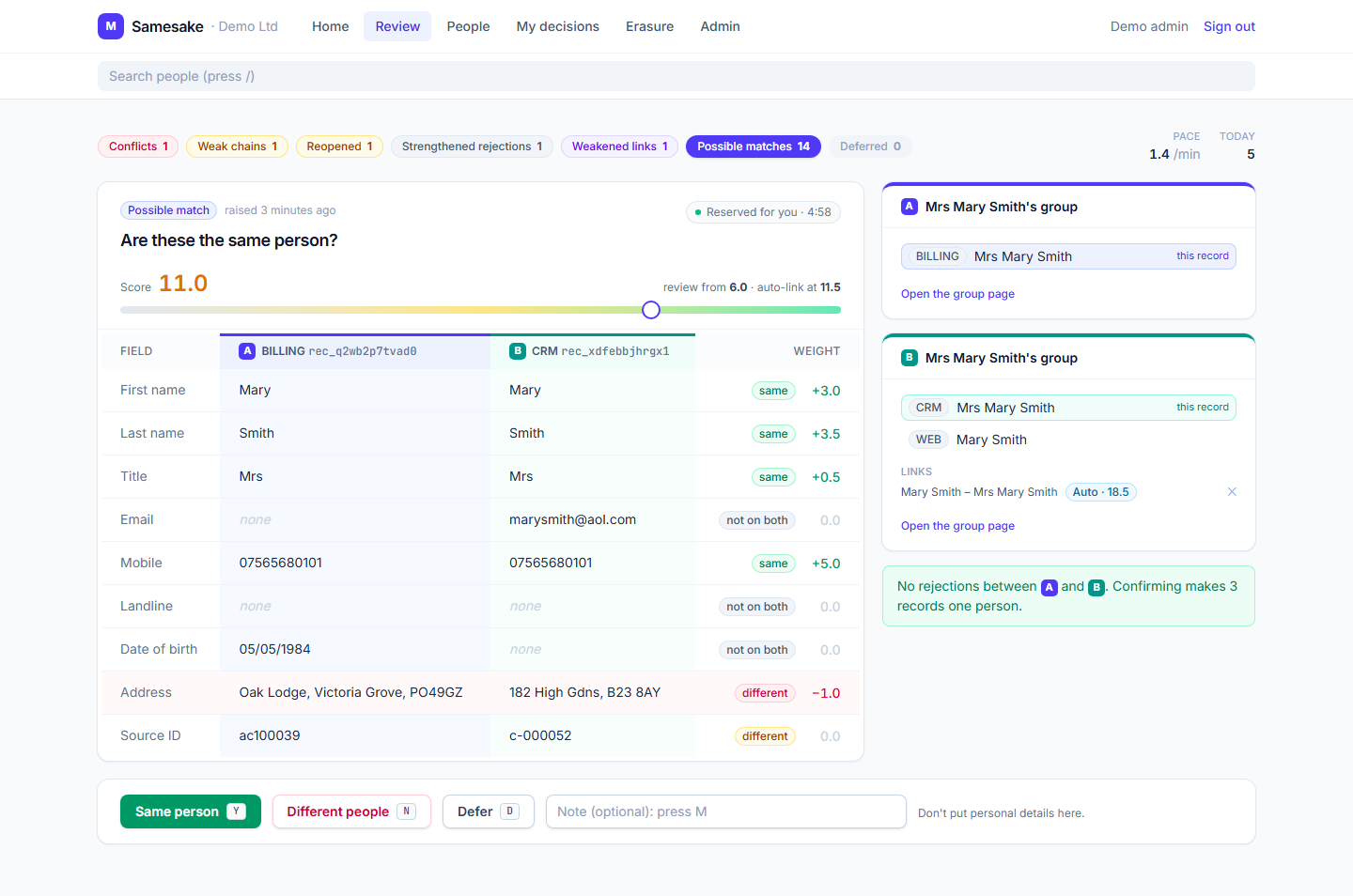
- Two records side by side, with the evidence for each field.
- Confirm with Y, reject with N, and defer, undo or add a note without leaving the keyboard.
- The whole group is shown, not just the pair, so you can see who else a record is already linked to.
- Some things come back for a second look: conflicts, links whose evidence has weakened, and rejected pairs whose evidence has grown stronger.
- Decisions stick. A rejected pair is never linked automatically. It only comes back to your team if the records change and the evidence becomes strong. A confirmed link isn't silently broken by a later change. It's flagged for another look instead.
- Every decision is kept: who made it, when, and why.
A page for every person
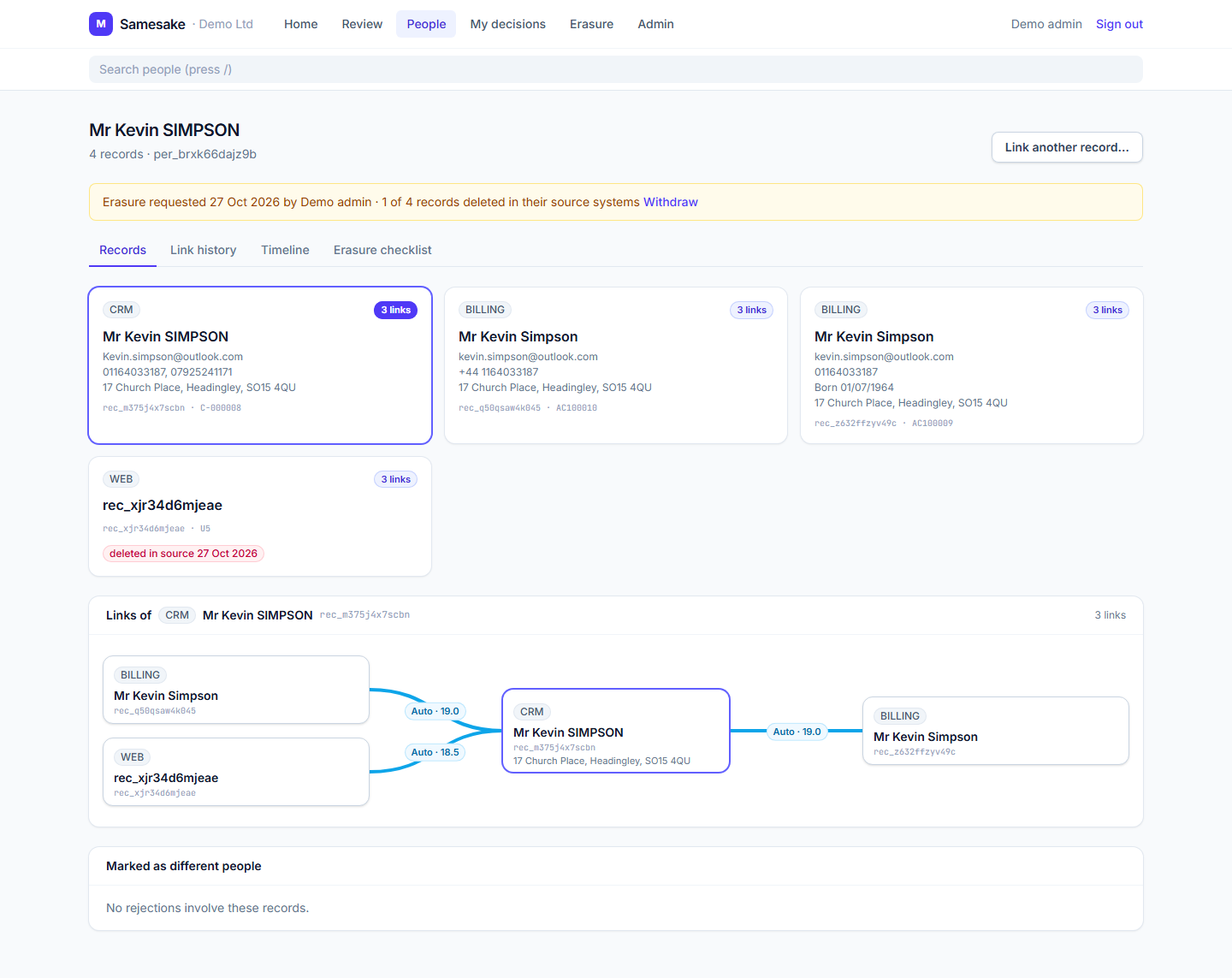
Each person gets a page with their linked records, the history of how they were linked, and a timeline of decisions. You can link records by hand, and search by name, email, phone or postcode.
The identity map
The identity map says which source record belongs to which person. It's published as a read-only OData feed that Power BI, Excel and Azure Data Factory read directly.
- IDs only: a record ID and a PersonId, never names or contact details.
- Paging and incremental refresh, so large maps load in pages and refresh only what changed.
- Updates and redirects: a record keeps its RecordId; its PersonId can change when groups merge or split. Consume map updates and the merge redirects to keep reports aligned.
- Read-only feed keys, separate from the keys that send data in.
See it with your own customer data.
Every new customer gets a free setup call, and we check the first matches together.